Small offices often feel crowded before the working day even begins. A desk blocks the window, cables gather beneath it, and storage quietly consumes valuable floor space. The challenge is not simply buying smaller furniture. It is designing every item to perform more than one useful task.
This guide explores how to maximize space in a small office with smart furniture, using practical choices rather than fashionable distractions. Wall-mounted folding desks can disappear after meetings. Nesting tables can separate quickly, then stack against a wall. Mobile pedestals can support seating, storage, or temporary work surfaces. Monitor arms can free desk space, while adjustable-height desks encourage healthier movement during long working hours. Small details matter. A clear 90-centimeter walkway may improve movement more than an expensive decorative feature.
Norman Foster, the internationally recognized architect, once said, “As an architect, you design for the present, with an awareness of the past, for a future which is essentially unknown.” His observation suits compact workplaces, where flexibility must survive changing teams, technology, and work habits. Reliable planning also requires checking furniture dimensions, weight limits, cable routes, and ventilation access before installation. A beautiful storage wall can become inconvenient if its doors collide with a chair. That mistake is easy to make.
The most effective office may not look perfect. It should feel adaptable. Measure the room honestly, test movement patterns, and accept that one solution may not suit every worker. Smart furniture works best when it supports real behavior, not an imagined lifestyle.
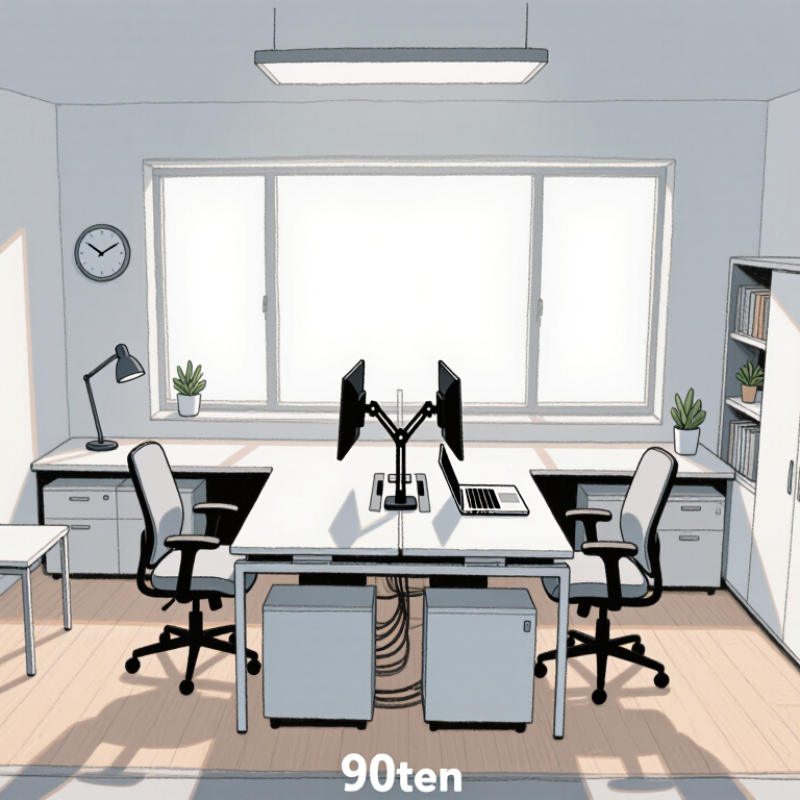
A small office feels larger when movement is planned before furniture arrives. Measure the room, door swing, and work zones carefully. Use the ADA’s 36-inch clear-path benchmark as a practical reference, not a universal legal guarantee. Local accessibility rules may differ, so confirm requirements with a qualified professional.
Mark a 36-inch route with painter’s tape from the entrance to the desk, storage, and exit. Then place a compact desk along the wall, leaving the route visibly open. A height-adjustable table can support different users without adding another workstation. Rolling pedestals are useful, but they must stay parked outside the path. Keep chair backs, wastebaskets, and power cords away from walking space.
Measure twice. Adjust once.
In one test layout, a narrow cabinet reduced the passage to 31 inches. It looked acceptable on paper, but the chair became difficult to pass. Replacing it with vertical shelving restored clearance while preserving storage. Sliding doors can also reduce conflicts near the entrance. Still, measurements alone are not enough. Open drawers, visitor movement, and everyday clutter can quickly shrink the usable width. Review the room at busy times, not only when it is perfectly tidy.
How to Maximize Space in a Small Office With Smart Furniture?
A small office needs furniture that changes with the workday. Modular desks can create individual workstations, shared tables, or compact meeting areas. Select desks tested and certified to ANSI/BIFMA X5.5 standards, which address strength, durability, stability, and safety. Ask suppliers for current test reports or certification documents. Clear evidence matters more than attractive product claims.
Measure the room before choosing a configuration. Leave enough space for chairs, drawers, and comfortable movement. A 120-centimeter desk may fit neatly, yet cable trays and monitor arms still need room. Choose connecting panels, reversible sections, and height-adjustable components when possible. These features support future changes without replacing the entire system. I have seen offices save floor space but create awkward cable paths. That mistake is easy to repeat.
Tips: Map the floor with removable tape before ordering. Check each desk’s weight capacity and adjustment range. Confirm that assembled modules can pass through doors and elevators. Keep power outlets accessible. Do not assume a standard-tested desk will suit every user or room. Test one workstation first, then gather feedback from people who use it daily. Small details, such as knee clearance and screen glare, often decide whether a compact office feels efficient or merely crowded.
A small office feels larger when every piece of furniture supports comfortable movement. Choose a desk with built-in cable channels and a narrow footprint. A monitor arm can free valuable desk space for notebooks, lighting, or a small storage tray. Keep frequently used items within easy reach, but leave enough room for your elbows.
A practical interpretation of OSHA workstation guidance places the monitor about 20–30 inches from your eyes. Sit upright, then adjust the screen until you can read without leaning forward. The top edge should sit, at or slightly below, eye level. Tilt the display to reduce glare from windows or overhead lights. Your chair, desk height, and monitor position should work together, not separately. I still catch myself moving closer during detailed tasks. That habit needs regular correction.
Tips: Measure the distance with a ruler, not guesswork. Place the screen directly in front of you. If you use two monitors, keep the primary display centered. Put the secondary screen beside it and angle it gently toward you. Test the setup for an hour before deciding it works. A compact desk may look efficient, yet poor positioning can create neck strain. Comfort is evidence. Pay attention to headaches, squinting, or raised shoulders, and adjust the furniture before those signs become routine.
In a small office, vertical storage works best when it follows your natural reach. Keep daily tools between 15 and 48 inches from the floor. This zone supports comfortable access while seated or standing. Place notebooks, files, chargers, and reference materials there. Use narrow shelving, wall-mounted cabinets, or a tall drawer unit with adjustable sections. Leave lower areas for heavy supplies. Store rarely used items above eye level.
Measure your chair, desk, and arm movement before buying furniture. A shelf that looks efficient may still block light or create awkward reaching. I once placed a printer too high, and every page became a small interruption. The better choice was a waist-height cabinet beside the desk. It reduced movement and kept the desktop clear. Furniture should support work, not merely fill empty walls.
Tips: Keep the most-used items within one arm’s reach. Label only containers that genuinely need labels. Leave a few centimeters between shelves and door swings. Choose furniture that can be adjusted later. Small mistakes are normal. Review the arrangement after one busy workweek, then move anything that repeatedly slows you down.
Keep frequently used office supplies between 15 and 48 inches above the floor, where they are easier to reach without excessive bending or stretching. Use the space above 48 inches for lightweight or infrequently accessed items.
A small office should not be judged by empty floor area alone. A foldable table, nesting chair, and mobile storage unit can create several working modes. Yet every layout needs a safety check against applicable BIFMA requirements. Measure aisle widths, table stability, caster movement, and load capacity with furniture fully occupied. Do not rely on a showroom pose. People pull drawers, lean on edges, and move chairs quickly. Small details matter.
Test at least three arrangements: individual work, collaboration, and emergency exit access. Mark each footprint with tape before buying furniture. Check whether a chair can roll back without striking a cabinet. Open every drawer at once. Apply realistic loads to shelves and work surfaces. BIFMA test methods commonly examine strength, durability, stability, and safe function, but the exact standard depends on the furniture type. Keep test records, including dimensions, observed wobble, and repeated-use damage. A simple checklist improves reliability.
Flexible furniture should lock securely when stationary and move predictably when repositioned. Cables need channels or clips, not loose loops across walking paths. We sometimes overestimate how much a compact desk saves; its side clearance may become the real problem. Revise the plan after observing a full workday. BIFMA guidance supports responsible product evaluation, while local accessibility and building rules still require separate review. A safer small office is not merely dense. It remains usable under pressure.
Comparative planning data for a 20 m² office. The measurements combine practical space-planning targets with product-safety checks that should be verified against the applicable BIFMA furniture standard and local accessibility and building requirements.
| Flexible Layout | Furniture Configuration | Occupied Footprint | Primary Circulation Clearance | Work-Surface Area | Safety and Usability Test | Space Efficiency | Result |
|---|---|---|---|---|---|---|---|
| Wall-Fold Workstations | Two wall-mounted folding work surfaces with nesting chairs and vertical storage. | 3.2 m² when open 1.4 m² when folded |
1,000 mm central passage with furniture open; 1,200 mm preferred for two-way movement. | 2.40 m² total 1,200 × 1,000 mm per workstation |
Check anchorage, hinge security, load capacity, pinch-point protection, and stability during opening and closing. Keep electrical cables clear of the folding path. | High: work area can be cleared for meetings or equipment use. | Pass with verification |
| Mobile Bench Layout | Two compact desks on lockable casters arranged as a shared bench, with mobile pedestal storage. | 5.0 m² | 900 mm minimum working aisle; 1,100 mm recommended behind occupied chairs. | 2.88 m² total 1,200 × 1,200 mm per user |
Lock casters before use, verify desk stability under uneven loading, manage cable loops, and prevent pedestal drawers from obstructing circulation. | Medium-high: desks can be separated for collaboration or pushed together for shared work. | Pass with controls |
| Corner Workstations | Two L-shaped desks positioned along adjacent walls with overhead storage limited to non-impact zones. | 5.8 m² | 900 mm clear route around desk corners; maintain clear access to doors and equipment. | 2.88 m² total 1,200 × 1,200 mm per user |
Inspect corner stability, wall clearances, sharp edges, overhead load limits, and monitor placement. Avoid placing storage where it can fall into the circulation route. | Medium: good workstation capacity but less adaptable for group activities. | Review |
| Convertible Meeting Table | Height-adjustable table with folding leaves, stackable seating, and a wall-mounted screen. | 2.8 m² closed 5.2 m² open |
900 mm minimum route around the open table; provide a wider route where the table is used by multiple people. | 2.16 m² open 1,800 × 1,200 mm |
Test locking mechanisms, table-top stability, folding-leaf support, edge protection, and safe operation of height-adjustment components. | Very high: one footprint supports meetings, training, and occasional individual work. | Pass with verification |
| Storage-Integrated Perimeter Plan | One compact workstation placed beside full-height storage, with a clear central floor zone. | 4.4 m² | 900 mm minimum clear route; keep cabinet doors and drawers outside the main travel path when open. | 1.44 m² 1,200 × 1,200 mm |
Secure tall storage to prevent tipping, distribute heavy contents low, verify door and drawer stops, and maintain access to exits and power points. | Medium: strong storage capacity but limited seating flexibility. | Review |
| Accessible Flexible Zone | One adjustable-height desk, one movable chair, and modular storage positioned outside the turning area. | 4.8 m² | Maintain a 1,500 mm turning diameter where a wheelchair turning space is required; provide at least 760 mm clear knee width under the desk. | 1.44 m² 1,200 × 1,200 mm |
Check approach clearance, desk height range, reach to controls, cable protection, stable locking casters, and obstruction-free access. | Medium: uses more open floor area but improves inclusive usability. | Pass with verification |
| Storage-on-Casters Layout | Fixed desk paired with low mobile storage units that can be repositioned for project work. | 4.0 m² | 900 mm minimum clear route when storage is parked; do not allow mobile units to reduce required access width. | 1.44 m² 1,200 × 1,200 mm |
Lock casters during use, check anti-tip performance when drawers are open, limit top-heavy loads, and keep units below sightline where possible. | High: storage and collaboration zones can be changed without moving the main desk. | Pass with controls |
| Planning note: Clearance values are practical design targets, not a substitute for local code or accessibility review. Product testing should confirm the applicable BIFMA requirements for stability, strength, durability, anchorage, moving components, and user safety before installation. | |||||||
Modular desks can support individual work, shared projects, and compact meetings. Their sections can change as needs develop. More flexibility.
Ask for current test reports or certification documents. They should address strength, durability, stability, and safe use. Attractive claims are not enough.
Mark the proposed layout with removable tape. Include chairs, drawers, cable trays, monitor arms, doors, and walking paths. Check elevator and doorway access too.
Choose connecting panels, reversible sections, and height-adjustable parts. These features may reduce replacement costs later. Still, test one workstation first.
Keep notebooks, files, chargers, and reference materials within comfortable reach. A practical zone is about 15 to 48 inches above the floor. Store heavy items lower.
Measure chair height, desk position, lighting, and arm movement. A shelf can save floor space but block light or force awkward reaching. I once placed a printer too high.
Test individual work, collaboration, and emergency exit access. Use realistic loads and fully occupied conditions. Do not test only a neat showroom arrangement.
Chairs should roll back without hitting cabinets. Drawers should open safely, even when several open together. Use cable channels or clips, not loose loops.
Ask daily users for feedback after a busy workweek. Watch knee clearance, screen glare, wobbling, and repeated movement. Revise the plan when small problems keep returning.
Learning how to maximize space in a small office with smart furniture begins with careful planning and practical safety checks. Start by measuring the room and maintaining a clear pathway of at least 36 inches, supporting comfortable movement and accessibility. Choose modular desks that can be reconfigured as needs change, while checking that they meet recognized workplace durability and stability standards. Position computer monitors approximately 20–30 inches from the user to encourage a comfortable viewing distance and more efficient desk organization.
Make better use of limited floor area by adding vertical storage within the primary 15–48-inch reach zone, keeping frequently used supplies easy to access without creating clutter. Finally, test several flexible layouts to confirm that desks, chairs, storage units, and walkways remain stable and unobstructed. By combining adaptable furniture, vertical organization, ergonomic positioning, and clear safety requirements, even a compact office can feel more spacious, functional, and comfortable.

Layanaa Furniture